PRODUCT

One system from the table to the numbers.

LeisureOS connects customer ordering, staff service, payments, stock, expenses, pool operations, bookings and reporting so the business does not have to piece the truth together later.

CustomerOrder, track, call staff, request payment
StaffOwn tables, serve, respond, record payments
OwnerSee revenue, profit, stock and performance
BranchesKeep locations separated and controlled
OWNER & MANAGER

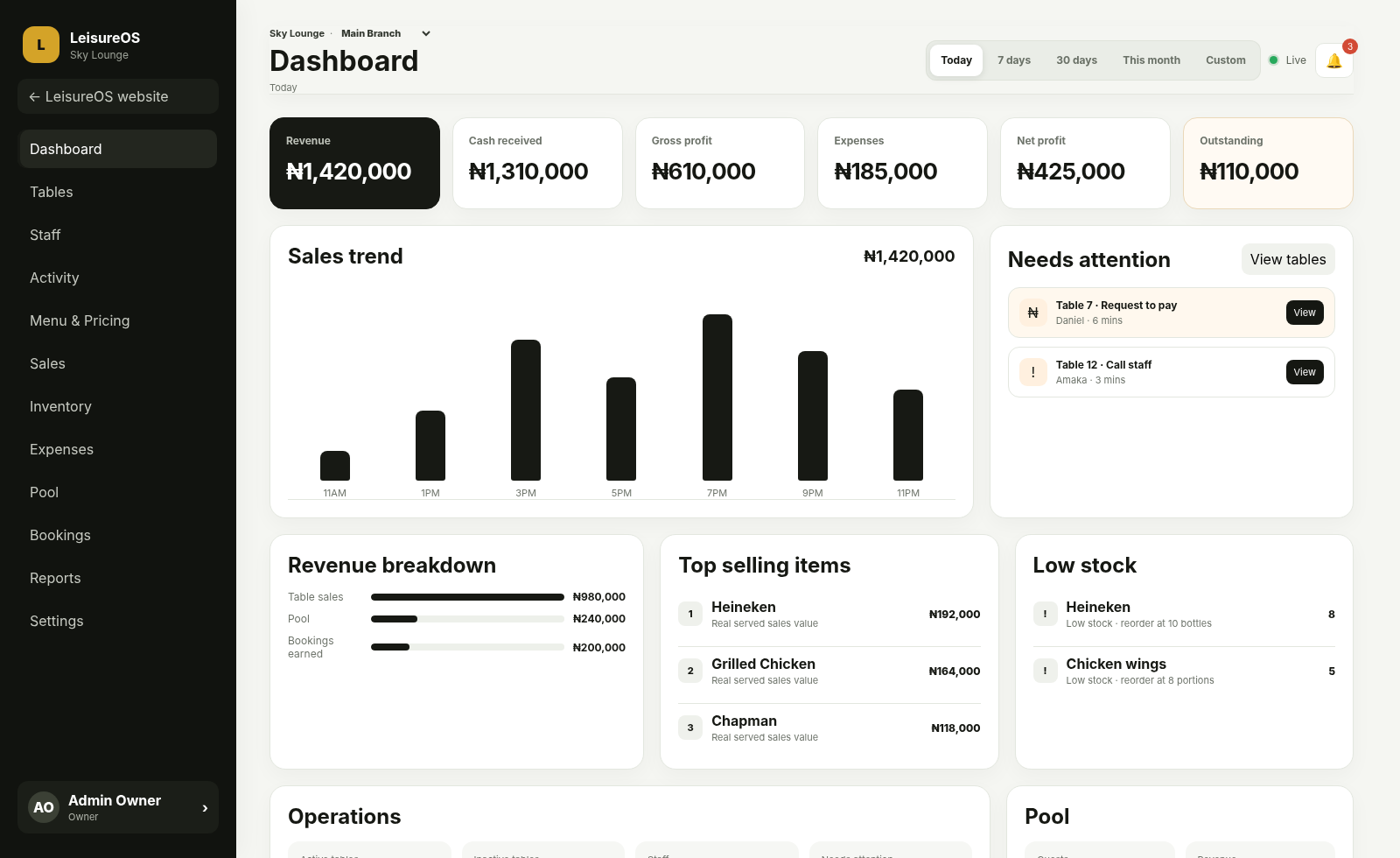
See the operation without waiting for a summary.

The dashboard brings together the figures and activity an owner actually needs: revenue, cash received, outstanding balances, gross profit, expenses, net profit, table activity, stock, bookings and pool operations.

  • Real sales and payment visibility
  • Inventory and COGS connected to served items
  • Expenses and net profit from real records
  • Branch-aware reports and permissions
Current LeisureOS owner and manager dashboard
STAFF

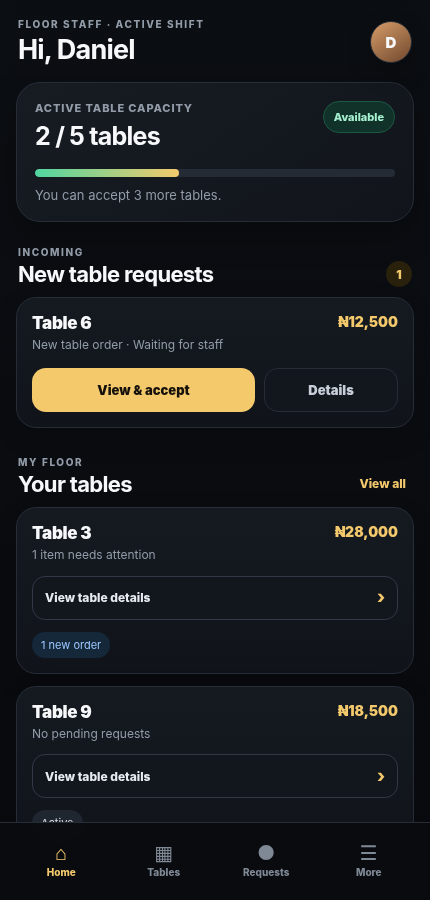
Make responsibility obvious during a busy shift.

Available staff can accept new tables. Once they do, follow-up orders, service requests and payment requests remain with the staff member responsible for that table.

  • Table ownership and staff capacity
  • Full order view before accepting
  • Serve status and request handling
  • Cash, POS, Transfer and mixed payments
Current LeisureOS staff mobile interface
CUSTOMER

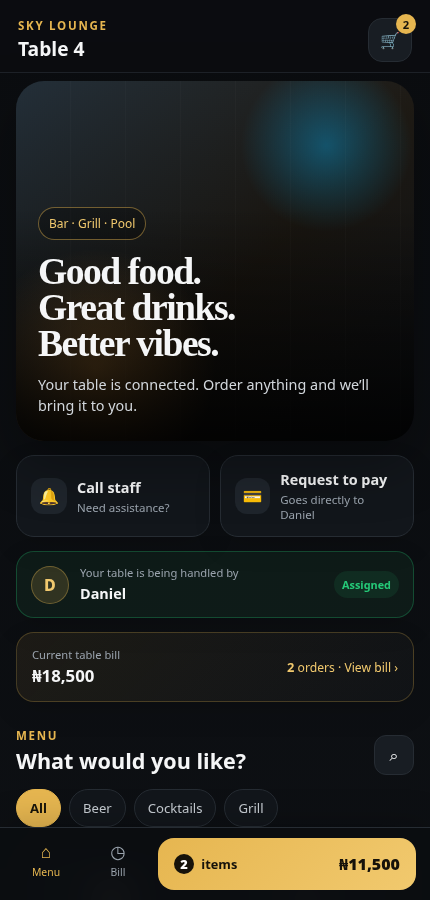
No app download. The table itself opens the experience.

A secure table QR takes the customer directly to the venue menu. They can order, see their running bill, watch service status, call staff and request to pay from the browser.

  • Secure table-specific QR access
  • Menu, cart and running bill
  • Live staff assignment and order status
  • Call Staff and Request to Pay
Current LeisureOS customer QR ordering interface
CONNECTED MODULES

The operational pieces should not live in separate spreadsheets.

Each module is useful on its own, but the value comes from what happens when they share the same business records.

01

Tables & QR

Secure table identities, live sessions and customer ordering without creating customer accounts.

02

Sales & Payments

Separate what was sold from the money actually received and the balance still outstanding.

03

Inventory & COGS

Connect menu items to stock and snapshot real cost when an item is served.

04

Expenses & Profit

Record operating expenses and calculate net profit from actual gross profit rather than a guessed percentage.

05

Pool & Bookings

Handle admissions, capacity, wristbands, resources, deposits, balances and booking conflicts.

06

Reports

Review revenue sources, payments, item profitability, expenses, staff performance and branch performance.

READY TO USE IT?

Set up the venue once. Let the system follow the work.

See the workflow